
The short version
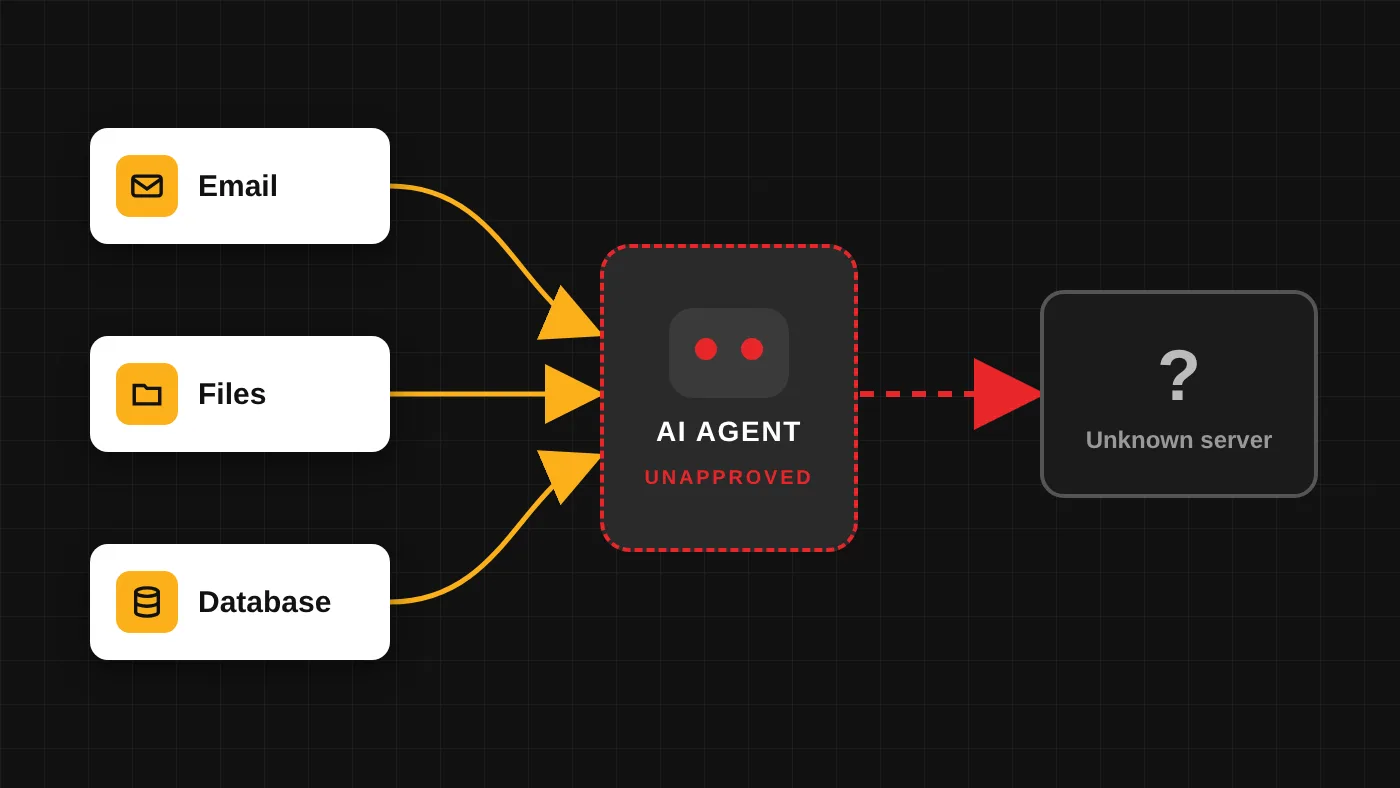
- An AI agent does not just answer questions. It acts on your systems with credentials someone gave it, often without IT ever knowing.
- In a 2026 survey, 52% of knowledge workers said they use AI tools their company has not approved, and more than 20% of them had shared login credentials with those tools [1].
- The fix is not a ban. Find the agents already running, approve the useful ones on limited accounts, and watch what they do.
What makes an agent different from a chatbot
A chatbot waits for a question and gives an answer. An agent is given a goal and the access to reach it. It might triage an inbox and reply to routine requests, join meetings and file the notes, read incoming invoices and update the accounting system, or keep a CRM current from email threads.
To do that work, the agent needs a key. Usually that key is one of three things: a one-click "allow access" prompt that connects it to Microsoft 365 or Google Workspace, an API key or token pasted into its settings, or simply the employee's own login. Once it has the key, the agent works around the clock, and it does whatever its instructions (or anyone who can change them) tell it to do.
When nobody in IT approved that agent, it is a shadow AI agent. Security researchers increasingly describe these tools as insiders: they hold credentials, permissions, and system access the way employees do, so they carry the same kind of risk [3].
How common this already is
Okta's AI Agents at Work 2026 survey of 292 executives and 492 knowledge workers found [1]:
- 68% of knowledge workers use AI agents, and 92% of executives say autonomous agents are in use at their organization.
- 52% of workers use AI tools their company has not approved. Of those, 39% had shared confidential documents, 45% had shared HR information, and more than 20% had shared login credentials.
- Only 34% of organizations always apply the same security controls to AI agents as to employees.
- 58% of executives reported an AI-related security incident or close call in the past year.
The reasons employees gave are practical, not malicious: personal accounts are easier (80%), the team already uses the tool (78%), and the approval process is slow (57%) [1].
Four ways shadow agents expose your data
1. Data leaves the company
An agent connected to email, files, or a database sends copies of what it reads to the vendor's servers, outside your contracts and compliance rules. Consumer-grade tools may keep that data or use it to improve their models. Breaches tied to shadow AI are already showing up in the numbers: IBM found that one in five organizations reported a breach involving shadow AI, and heavy shadow AI use added an average of $670,000 to breach costs [4].
2. Too much access
For convenience, agents are often set up with broad tokens or an admin login. Now the agent can read and change far more than its task needs. Worse, if the agent runs with its own wide access instead of each user's permissions, a coworker can simply ask it for the payroll file or the executive folder they could never open themselves. Huntress found agents in Microsoft tenants holding mailbox and calendar access that a single employee granted with one click, and nobody reviewed it afterward [3]. OWASP lists identity and privilege abuse among the top risks for agentic applications [2].
3. Hijacked by hidden instructions
Agents read everything you point them at, including content written by strangers. An attacker can hide instructions in a customer email, a vendor PDF, or a resume (for example, white text on a white background). When the agent reads it, the hidden text can tell it to search for private records and send them to an outside address. OWASP ranks this kind of agent goal hijack as the number one risk in its Top 10 for Agentic Applications [2].
4. Mistakes at machine speed, with no trail
AI can misread a vague instruction. An agent told to "clean up old records" can delete or overwrite live data in seconds, faster than anyone can notice. And when the agent runs under an employee's own login or a shared key, the logs cannot tell you whether a person or the agent made the change, which makes cleanup and investigation much harder [3].
How to find the agents already running
- Review connected apps. In Microsoft 365 (Entra ID enterprise applications) or Google Workspace, list the third-party apps employees have granted access to mail, calendars, and files. Look for anything with broad permissions that nobody recognizes.
- Require admin approval for new apps. Turn off the ability for users to grant company data to unverified apps on their own, and set up an approval request flow instead.
- Check browser extensions on company devices. Many AI assistants arrive this way.
- Look for automations and keys: Power Automate flows, Zapier or Make connections, and personal API keys tied to company systems.
- Watch for meeting bots joining calls and recording conversations.
- Ask your people. A no-blame survey ("what AI are you using, and what is it connected to?") finds tools no scan will, and it starts the conversation on the right foot.
How to bring them under control
- Set the rules first. Your AI policy should say which agents are approved and what they may do: read only, or send, edit, and delete.
- Approve the useful ones quickly. A slow approval process is one of the top reasons people go around IT [1]. Make the approved path the easy path.
- Give each agent its own limited account. Only the access its task needs, never an admin token or a borrowed employee login. Start read-only, and require a person to approve anything that sends, deletes, or pays.
- Test before you trust. Before an agent goes live, test how it handles hidden instructions in emails and documents.
- Log and review. Keep agent activity separate from human activity, and review it on a schedule.
These controls are steps 1, 4, 5, and 6 of our AI adoption guide for small and mid-sized businesses, which walks through the full order we use with clients.
The bottom line
AI agents can save real hours, and your team is already using them. The danger is not the agent itself. It is an agent nobody approved, holding keys nobody reviewed, doing work nobody watches. Find them, give the good ones limited access, and keep an eye on what they do.
How LogiX MSP can help
We find the AI tools and agents already connected to your systems, close the access gaps, and set up an approved path your team will actually use. Talk to us about an AI readiness review.
Sources
- Okta, "AI Agents at Work 2026: Securing the agentic enterprise," May 27, 2026. Survey of 292 executives and 492 knowledge workers in seven countries, fielded March 2026.
- OWASP GenAI Security Project, "OWASP Top 10 for Agentic Applications," December 9, 2025.
- Huntress, "AI Agent Security Risks: How Autonomous Agents Become an Insider Threat," updated September 4, 2026.
- IBM, Cost of a Data Breach Report 2025, July 30, 2025.
How LogiX MSP can help
Want a second opinion on your IT, security, or automation plans? Let's talk about where you are and where you want to go.
Start a Conversation →