
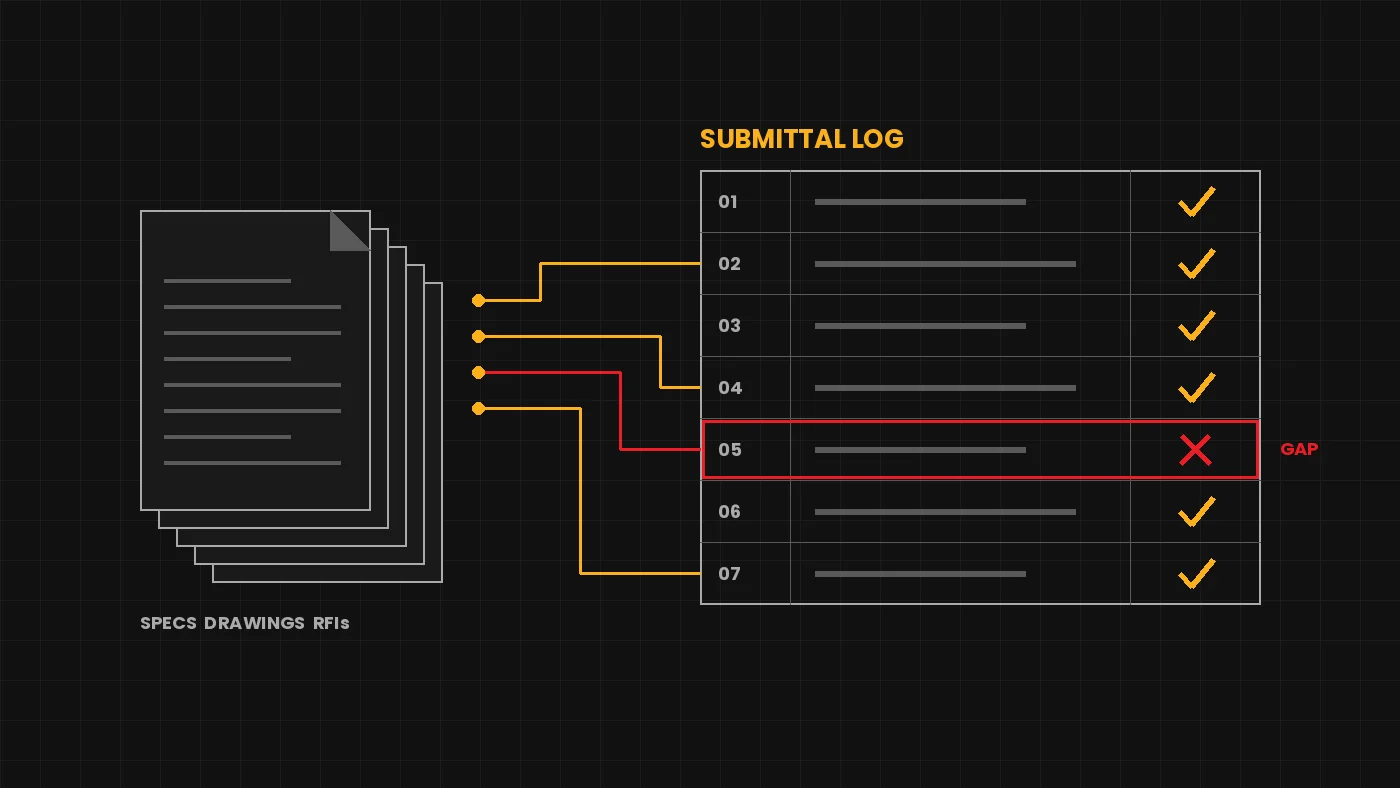
Who should read this: Project managers and project engineers, project coordinators and assistants who keep the RFI and submittal logs, and owners weighing what document control costs.
The Short Version
- Ai tools that check RFIs for completeness, review submittals against specs, and search thousands of project documents are moving from pilots into products, but most are new and the results so far come from early users.
- Every stalled RFI or late submittal costs staff hours and schedule days, so cleaner, faster paperwork protects margin.
- Ask your team this week: which submittals are overdue right now, and how long did it take to find out?
What's Changing
Document control is a big, quiet cost. A study of 1,362 projects by the Navigant Construction Forum found an average of 796 RFIs per project and an average total cost of $1,080 to review and respond to each one [5]. That study is from 2013 and we could not find a newer independent one, but anyone who has run an RFI log knows the volume has not gone down.
What is new is the software. In May 2026, Procore announced Ai agents (software that reads project records and prepares a next step for a person to approve) that check RFIs for completeness and clarity and review new submittals against project specifications. At announcement, the embedded version was in private beta [1]. In November, startup Shackleton AI launched agents that draft RFIs and follow up on past-due submittals, with the project manager reviewing the agents' work [3]. In the AGC and Sage 2026 outlook survey, 61 percent of respondents said their firms are using Ai or plan to increase investment in it, up from 44 percent the year before [4].
Interest is not the same as a process, though. Writing in ENR, Brantley Brumley described asking contractors at a construction technology summit how many were using Ai: "Most hands went up." When he asked how many had a workflow that ran the same way every time, "Almost every hand went down" [6].
How Firms Are Doing It
Gilbane: searching 21,000 documents on a convention center job
Gilbane Building Co. was running a $456 million renovation of Milwaukee's Baird Center, where the specifications and contracts added up to around 21,000 documents, including drawings, RFIs, contracts and change orders [2]. Lead superintendent Andrew Roy put the problem plainly: "It isn't humanly possible to be completely familiar with every single document on the project."
Starting in January 2024, the team piloted TrunkText from Trunk Tools, a chat-style tool that answers questions from the project's own documents. Roy said the team "kind of stumbled upon" using it for coordination between documents, and "That's where it became extremely powerful for us." According to the vendor's case study, as reported by Construction Dive, users asked 246 questions across 37 working days, 87 percent of the answers were correct as validated by the project team, and each query saved 20 to 40 minutes of search and travel time [2]. Those are vendor-reported numbers, and they also mean roughly one answer in eight was not confirmed as correct.
The failures taught something too. Sometimes the tool came back with no answer, and the team concluded the information "wasn't in the documents." Roy called that a "happy accident" because it exposed blind spots in the documentation. The learning curve was mostly about asking questions the right way [2]. This pilot is from 2024, which makes it one of the longer-running public examples.
Level 10 and Bernard's: early tests of submittal and RFI agents
Two contractors quoted by name in Procore's May 2026 announcement describe early tests. This is vendor material, so read it as a first report. Jacob Freitas, project executive at Level 10 Construction, said his team built a submittal review agent around the firm's own workflows and standards. "We ran 10 submittal reviews in an hour using our agent, easily saving 12 hours of work for our team," he said, adding that on a recent project "it also caught critical errors, helping us avoid a full week of potential delays" [1].
Gary Daly, senior project manager at Bernard's, said his team "tested the RFI Agent on a real-world discrepancy between drawings and specifications." In his words, "It identified the issue, recommended issuing an RFI, and even suggested the right questions to ask the design team" [1]. Neither firm has published a before-and-after comparison.
How to Try It
This pilot is written for a project manager or project engineer. Tools in this category include Ai features built into project management platforms (Procore's agents, for example) and standalone products such as Trunk Tools and Shackleton AI. Naming them is not a recommendation.
- Pick one owner and one job. A senior PM or project engineer owns the pilot on an active project with steady submittal flow.
- Pick one narrow use. Choose either submittal checks against spec sections, completeness checks on outgoing RFIs, or document search. Not all three at once.
- Gather the inputs. The current spec book and drawings, the submittal register, and 10 to 20 closed submittals or RFIs where you already know the right answer.
- Run it side by side for four to six weeks. The tool does its review, and your reviewer still does the full review. Log every place they differ.
- Measure what matters. Minutes per review, issues the tool caught that people missed, issues it missed or got wrong, days from receipt to return, and how many RFIs the design team sends back as unclear.
- Decide and write it down. Expand, adjust, or stop. Either way, put in writing who signs off on every response. The stamp stays with a person.
For the CFO
As an illustration only: if a job produces 400 RFIs and submittals that each take 90 minutes of PM or engineer time, that is 600 hours. Cutting review time by a third saves 200 hours, about $15,000 at a $75 loaded rate. One avoided week of delay can be worth more, so ask vendors exactly how they price and weigh that against both.
Office Quick Win: Overdue Submittal Reminders
The task: Turn your list of overdue submittals into short, polite reminder emails, one per subcontractor.
What you need: Your company-approved Ai assistant (for example Microsoft Copilot, ChatGPT, Claude, or Google Gemini) and your submittal log.
- Open your submittal log and sort or filter it to the items past their due date. Copy the rows with the subcontractor name, submittal number, description, spec section, and due date.
- Open your company-approved Ai assistant and start a new chat.
- Copy the prompt below, fill in the parts in [brackets], and paste your rows where it says to.
- Read each draft, fix anything wrong, and copy it into a new email in Outlook or Gmail to the right contact.
You are helping a construction project coordinator. Below is a list of overdue submittals from our log for the [project name] project. For each subcontractor, write one short, polite email asking for their overdue items. List each submittal by number, description, spec section, and original due date. Ask them to send the submittal, or a firm date when they will, by [date]. Sign it from [your name and title]. Keep each email under 120 words and do not add anything that is not in the list. Here is the list: [paste your rows here]
Safety: Use only your company-approved tool. Do not paste bank details, Social Security numbers, employee personal data, or confidential contract terms unless your company says the tool is cleared for it.
Before you send: Check that every submittal number, date, and company name matches the log exactly, that each email goes to the right person, and that nothing in it promises anything your PM has not approved.
Watch-Outs
- Accuracy and review. Even in the Gilbane pilot, about one answer in eight was not confirmed as correct [2]. A person must review every Ai-drafted RFI and every Ai submittal check before it goes out.
- Contract and liability language. Your contracts already say who reviews submittals and who is responsible. Ai does not change that, and Ai-drafted RFI wording should never quietly concede scope or shift risk.
- Document security. Owners sometimes restrict how drawings and specs are shared. Check the contract and the tool's data terms before uploading them.
- Out-of-date inputs. If the spec book or submittal register is not current, the tool will check against the wrong version with full confidence.
- Cost creep. Usage-based pricing can grow quietly. Track it during the pilot.
The Bottom Line
RFIs and submittals are a natural fit for Ai because the work is mostly comparing documents and chasing follow-ups. The early results are promising, but they are mostly vendor-reported and come from a small number of firms. Start with one job, keep a person accountable for every response, and measure before you scale.
Sources
- Procore, "New Procore AI Experience Embeds Datagrid into Procore," Procore (press release), May 21, 2026.
- Matthew Thibault, "How Gilbane used an AI tool to track 21,000 documents," Construction Dive, August 28, 2024.
- Construction Metrics, "Shackleton AI launches agents that draft RFIs and chase overdue submittals, with $1 billion of projects on its platform," Construction Metrics, November 5, 2026.
- Associated General Contractors of America, "Contractors Have 'Dampened' Expectations For 2026, Apart From Data Centers And Power Projects, Amid Worries About The Economy, Policy Uncertainties," AGC, January 8, 2026.
- Nigel Hughes et al., "Impact & Control of RFIs on Construction Projects," Navigant Construction Forum (hosted by CMAA), April 2013.
- Brantley Brumley, "Contractors Don't Need an AI Strategy, They Need an AI Owner," ENR, November 18, 2026.