
Who should read this: Controllers and AP staff, CFOs and owners, and project managers who approve invoices.
The Short Version
- What is changing: Ai tools can now read invoices in any format, fill in vendor, job, and cost code, and match them to POs, leaving people to check the work instead of keying it.
- Why it matters: Faster approvals mean fewer lost invoices and happier subs, but the savings depend on your volume and on keeping human review in place.
- Ask your team this week: How many invoices do we key by hand each month, and how long does one take from inbox to approval?
What's Changing
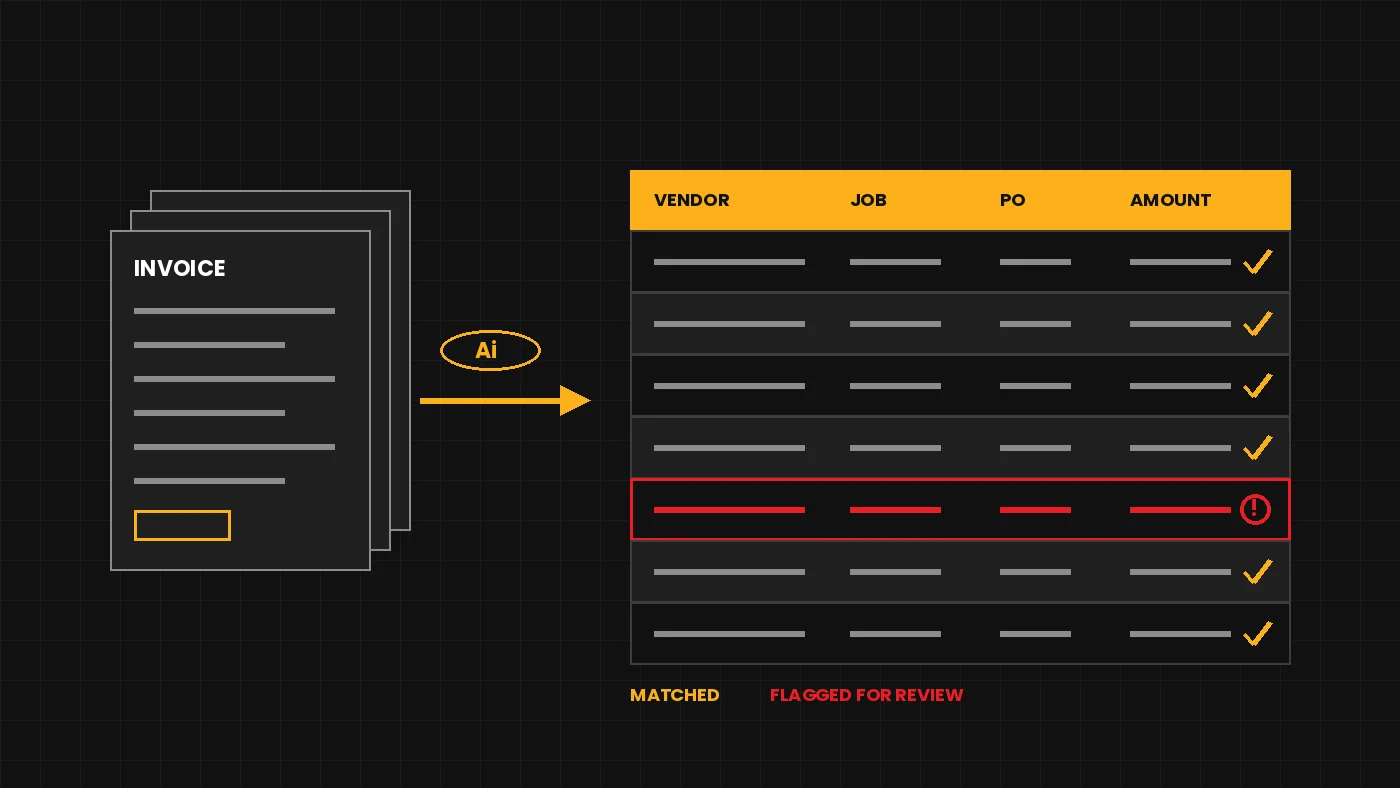
Accounts payable at a GC has always been a paper chase: sub invoices, supplier bills, and equipment rentals arrive by email and mail, someone keys them in, and project managers approve them on their own schedule. The newest AP tools use Ai to read the invoice itself, without a template built for each vendor, then pass clean matches through and flag discrepancies for a person to review [1].
Construction finance teams are interested but cautious. In a January 2026 survey of finance professionals published by AP software vendor Yooz, 53% of construction finance teams said they were using or piloting Ai, compared with 66% across all industries, and 53% said Ai had not yet delivered consistent, practical value. Yooz calls the construction findings directional, and this is vendor research, so treat it as a signal rather than a benchmark [2]. A separate BRG survey of construction executives, reported by Construction Dive in October 2026, found 43% named liability for Ai-generated errors as a concern restricting use [3].
How Firms Are Doing It
A GC that stopped keying invoices
Cork Howard Construction, a general contractor in Marietta, Georgia, ran AP the old way. Project managers received weekly color-coded manila folders of original invoices to approve and return, and some never came back. "We were doing everything manually," controller Milissa Douglas told Construction Dive [4].
The firm first tried a large expense platform and dropped it because it would not connect to their accounting software. They then moved to an AP automation platform (Stampli) that includes an Ai assistant. Douglas said the assistant fills in about 90% of the invoice information from scanned or emailed invoices, and it got better as it learned company-specific details. "Really, all you have to do is verify that he did his job correctly," she said [4].
Setup meant loading vendors, cost codes, and jobs from Excel. Douglas reported roughly a 50% cut in research and data-entry time, a cost of about $2 per invoice depending on pricing tier, and an 85% to 90% drop in paper after automating timesheets and AP. Her advice: be patient, start with small batches, and get the export and import formatting exactly right, or the accounting system rejects the records [4].
A specialty contractor matching invoices to POs
Superior Masonry Unlimited, a masonry contractor in Fort Mill, South Carolina, had a different starting point: accounting software on a local server with no way to connect to other systems. "A big pain point with this company, and I know with others, is processing of accounts payable," CFO Matt Andersen told ENR [5].
The firm moved to cloud accounting, connected it to its project management platform, and spent about three months evaluating AP tools. The one it chose reads invoice data and matches invoices to purchase orders using project details like PO and invoice numbers. Andersen said an AP task that took about 40 hours a week now takes about four [5].
The lesson from both stories is the same. The Ai only worked once the basics were in place: clean vendor and cost code lists, an accounting system that could accept the data, and a person who still checks every invoice before it is paid. Both reports are from 2024, so the tools have moved on, but the rollout lessons hold. (Both firms happened to use the same vendor; other options in this category include Yooz, Vic.ai, and the AP modules built into construction accounting systems.)
How to Try It
- Pick an owner. Your controller or AP lead runs the pilot, with one project manager who approves a lot of invoices.
- Measure today first. For two weeks, track invoices received, minutes to enter each one, days from receipt to approval, and how many were lost or miscoded.
- Clean the inputs. Update the vendor list, cost codes, and open jobs before any tool sees them. Bad master data produces confident wrong answers.
- Test on one slice. Ask two or three vendors for a trial, and run a single invoice type (for example supplier bills on two jobs) through it for 30 to 60 days, with a person reviewing every coded field.
- Score it. Compare entry time, approval cycle time, and the rate of fields your staff had to correct against your baseline. Success is fewer touches with no increase in coding errors or duplicate payments.
- Decide on rules. Before expanding, write down who can approve what, and what never auto-posts (retainage, change order billings, anything with new bank details).
For the CFO
Run your own math before signing. As an illustration only: a firm handling 600 invoices a month at 6 minutes each spends 60 hours keying; cutting that in half saves 30 hours, or about $1,050 at a $35 loaded hourly cost, while per-invoice fees of $2 would run $1,200. At lower volumes, labor alone may not pay for it, so weigh the harder-to-count value too: faster approvals, fewer lost invoices, better job cost data, and stronger payment controls.
Office Quick Win
The task: Turn a pile of invoice emails into a clean table you can check against your AP system.
What you need: A company-approved Ai assistant (for example Microsoft Copilot, ChatGPT, Claude, or Google Gemini).
- Open your company-approved Ai assistant and start a new chat.
- Copy the text of three to five invoice emails (or the invoice details inside them) into a single note, with a line between each one.
- Copy the prompt below into the chat, fill in the brackets, and paste your invoice text where it says to.
- Press Enter. When the table appears, copy it into Excel.
- Compare each row against the original invoice before using it for anything.
You are helping an accounts payable clerk at a construction company. Below is the text of several invoices. Make a table with these columns: Vendor, Invoice Number, Invoice Date, Due Date, Job Name or Number, PO Number, Amount, and Notes. If a field is missing, write "Not found" instead of guessing. In Notes, flag anything that looks unusual, such as a missing PO, a due date already past, or the same invoice number appearing twice. Our job list is: [paste job names and numbers]. Invoice text: [paste invoice text here]
Safety line: Use only your company-approved tool. Do not paste bank details, Social Security numbers, employee personal data, or confidential contract terms unless your company says the tool is cleared for it. Remove remittance and bank account information from the invoice text before pasting.
Check before using: Confirm every amount, invoice number, and job against the original. The assistant can misread numbers or fill a blank with a guess, so treat the table as a draft, not a record.
Watch-Outs
- Accuracy still needs a person. Ai coding errors look just as tidy as correct entries. Keep a human review on every invoice, especially job and cost code.
- Payment fraud. Business email compromise caused about $3 billion in reported losses in 2025, according to the FBI's Internet Crime Report [6]. No tool should ever change a vendor's bank details on its own; verify any change by calling a number you already have on file.
- Integration pain. Cork Howard dropped its first choice because it would not connect to its accounting software [4]. Confirm the import works with your system before you buy.
- Data security. Invoices carry bank details and pricing. Ask where the vendor stores data, who can see it, and whether it is used to train their models.
- Cost creep. Per-invoice pricing grows with volume. Model next year's invoice count, not this year's.
The Bottom Line
Ai in accounts payable is one of the more proven back-office uses in construction, and the firms that have reported results describe real time savings. The work that makes it succeed is unglamorous: clean vendor and cost code lists, a measured pilot, and a person who still checks the invoice before the check goes out.
Sources
- Kyle Costa, "How AI Is Simplifying Purchasing and Accounts Payable for Contractors," Contractor Magazine, April 17, 2026.
- Yooz, "Yooz 2026 AI in Finance Report: Construction Industry Spotlight," Yooz, April 20, 2026.
- Keith Loria, "AI reshapes construction teams more often than it cuts jobs: report," Construction Dive, October 21, 2026.
- Matthew Thibault, "How 'Billy the Bot' helps Cork Howard Construction streamline accounts payable," Construction Dive, June 12, 2024.
- Jeff Yoders, "Cloud Technology and AI Help Masonry Firm Speed Payments," ENR, September 12, 2024.
- M. Scott Jones, "FBI Releases 2025 Internet Crime Report: Key Takeaways for the Payments Industry," Adams and Reese, July 1, 2026.